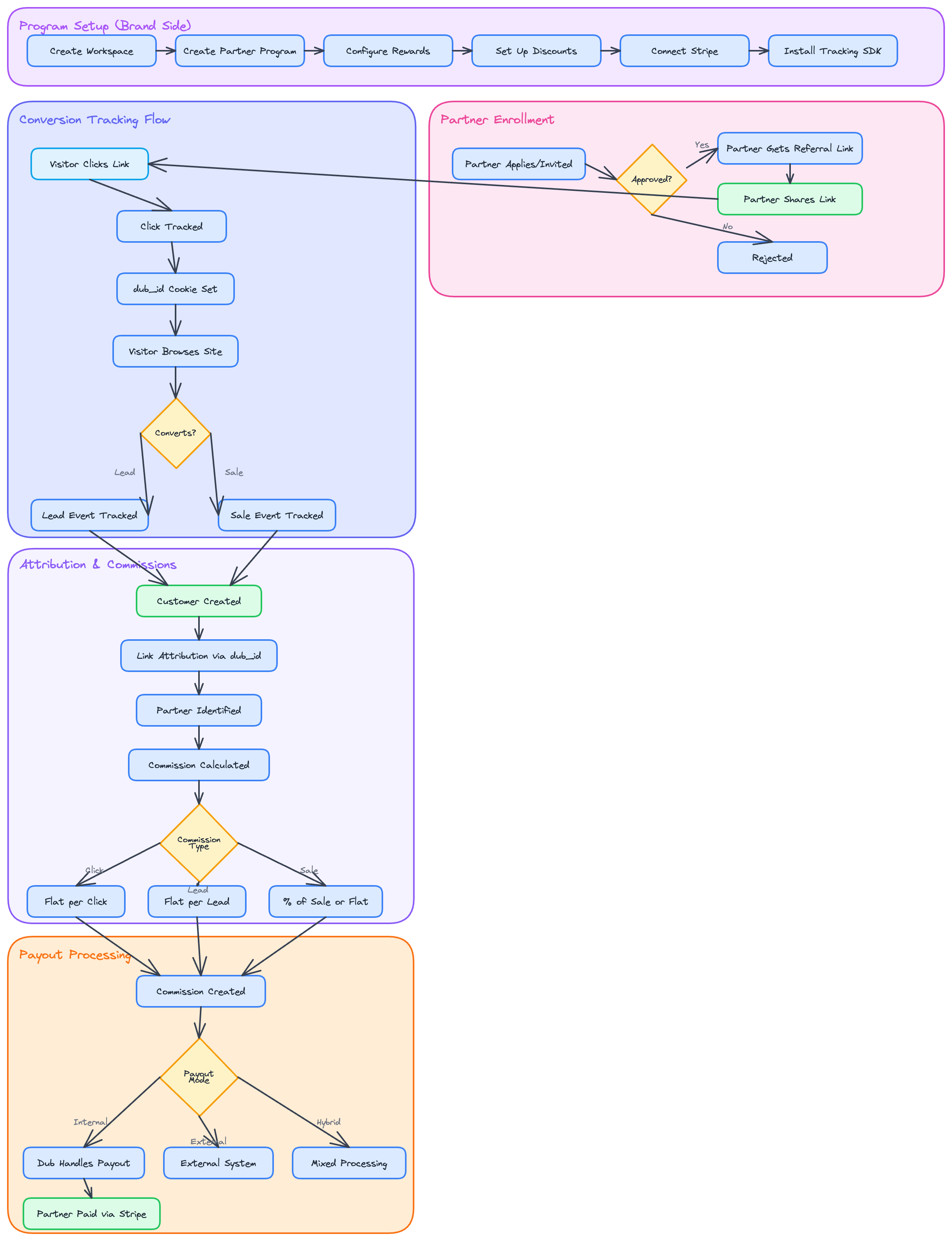
The Core Flow
The partner lifecycle consists of five key stages:- Program Creation: A user (the “Program Owner”) creates a Partner Program in their Dub workspace.
- Partner Onboarding: A partner discovers the program and is invited or signs up. They get a unique referral link.
- Link Sharing: The partner shares their unique link on their website, social media, etc.
-
Visitor Click & Conversion: A visitor clicks the link. The
@dub/analyticsscript attributes the click to the partner. The visitor then converts (e.g., signs up, makes a purchase). - Commission & Payout: A commission is generated for the partner. The Program Owner can then pay out all partners with 1-click global payouts.
Generate Your Script
Before tracking conversions, you need to install the@dub/analytics script on your website. This lightweight script detects when visitors arrive via a Dub link and stores a first-party cookie for attribution.
To get started:
- Navigate to your workspace’s Analytics settings page
- Generate a publishable key for client-side authentication
- Allowlist the domains where you’ll install the script
Open analytics settings
Generate your publishable key, allowlist domains, and configure conversion tracking in your Dub dashboard
Integration Options
At Stage 4 (Visitor Click & Conversion), you’ll need to track when visitors convert. Dub offers multiple integration paths:Payment platforms
Stripe and Shopify native apps automatically track purchases, subscriptions, and refunds
Tag management
Google Tag Manager for no-code client-side tracking on any platform
Automation
Zapier connects Dub to 7,000+ apps to automate your workflows
Server-side SDKs
TypeScript, Python, Go, PHP, Ruby for custom implementations