

Core Entities
The following table defines the primary data models in Dub:| Entity | Description |
|---|---|
| Workspace | The top-level container for all your data. Invite team members, manage roles, and configure billing here. |
| Program | A partner program you create with configurable reward rules, commission structures, and enrolled partners. |
| Partner | A user who joined a program. They receive a unique referral link and can earn commissions on conversions. |
| Link | A short link that redirects to a destination URL. Can be standalone or associated with a partner for tracking. |
| Analytics | Aggregated data about link performance including clicks, geographic location, devices, referrers, and UTMs. |
| Customer | An end-user who clicked a partner’s link and converted (e.g., signed up or made a purchase). |
| Commission | A record of a successful conversion attributed to a partner, with a status (pending, approved, paid) and amount. |
| Domain | A custom domain for branded short links. Improves brand recognition and click-through rates. |
| Tag | A label to organize, filter, and group links for easier management and analytics segmentation. |
Entity Relationships
The diagram below illustrates how these entities relate to one another: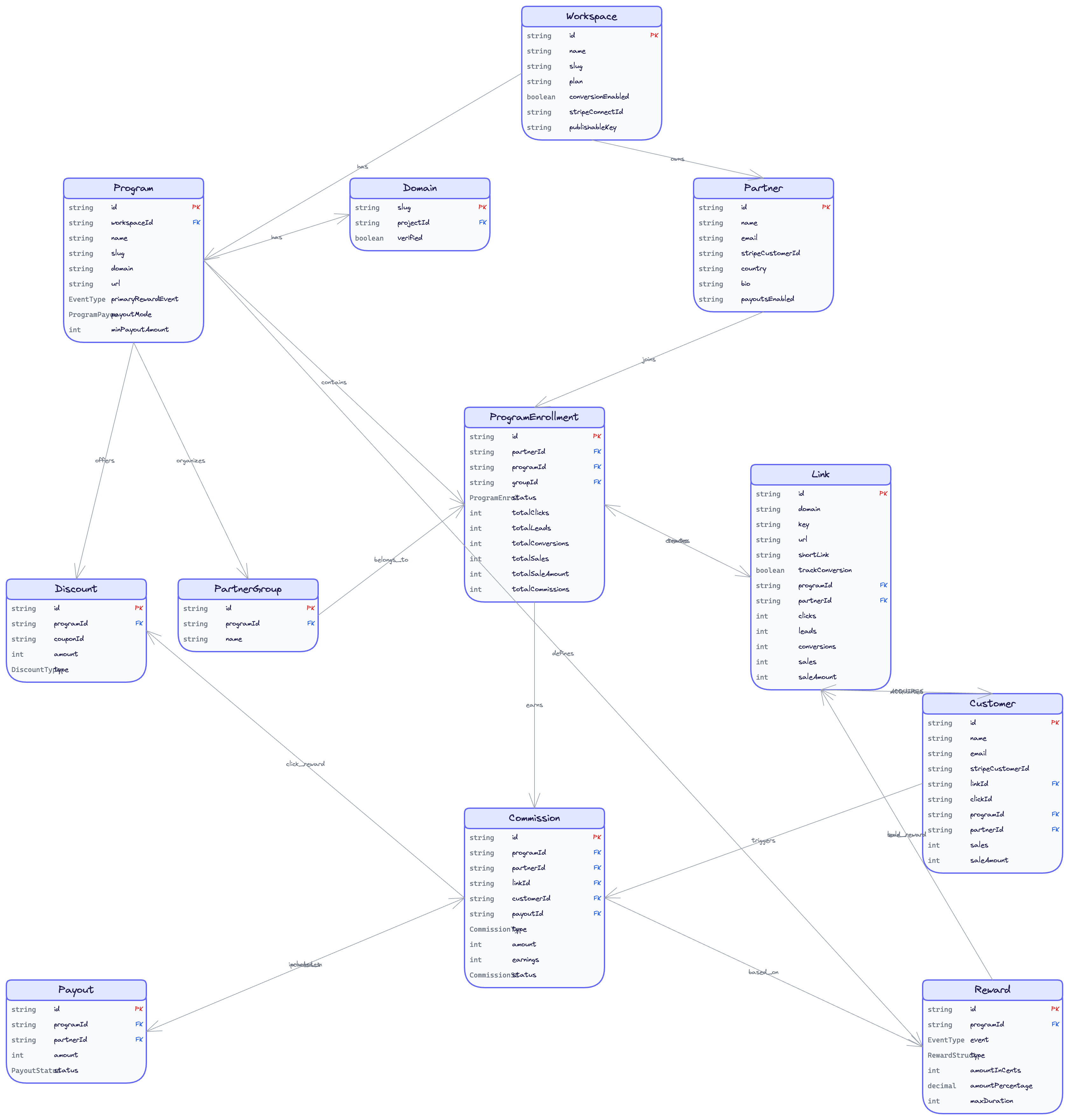
Key Relationships
The relationships between entities follow a clear hierarchy:- Workspace → Program: A workspace can have multiple partner programs. Each program operates independently with its own reward rules and partners.
- Program → Partner: Partners join a specific program. A single user could be a partner in multiple programs across different workspaces.
- Partner → Link: When a partner joins a program, they receive a unique referral link. This link is used to track all referrals back to that partner.
- Link → Customer: When a visitor clicks a partner’s link and converts, they become a Customer. The customer is permanently associated with the referring link.
- Customer → Commission: Each qualifying action by a customer (e.g., a purchase) generates a Commission record for the partner who referred them.