

Dub Partners require a Business plan subscription or
higher.
Step 1: Install the @dub/analytics client-side SDK
First, install the @dub/analytics client-side SDK. This script captures click attribution by storing a first-party cookie that links conversions back to the referring partner.
The SDK also supports:
- Client-side click tracking via query parameters (e.g.
?via=john) - Fetching partner and discount data for dual-sided incentives
@dub/analytics script in several different ways:
You can verify the installation with the following tests:
- Open the browser console and type in
_dubAnalytics– if the script is installed correctly, you should see the_dubAnalyticsobject in the console. - Add the
?dub_id=testquery parameter to your website URL and make sure that thedub_idcookie is being set in your browser.
- The analytics script was added to the
<head>section of the page - If you’re using a content delivery network (CDN), make sure to purge any cached content
- There is a successful
/track/clickrequest in your browser’s Network tab (and no errors in the Console tab). - The
dub_idcookie is being set upon a successful/track/clickrequest. - The click tracked correctly in the Events tab of your Dub workspace.
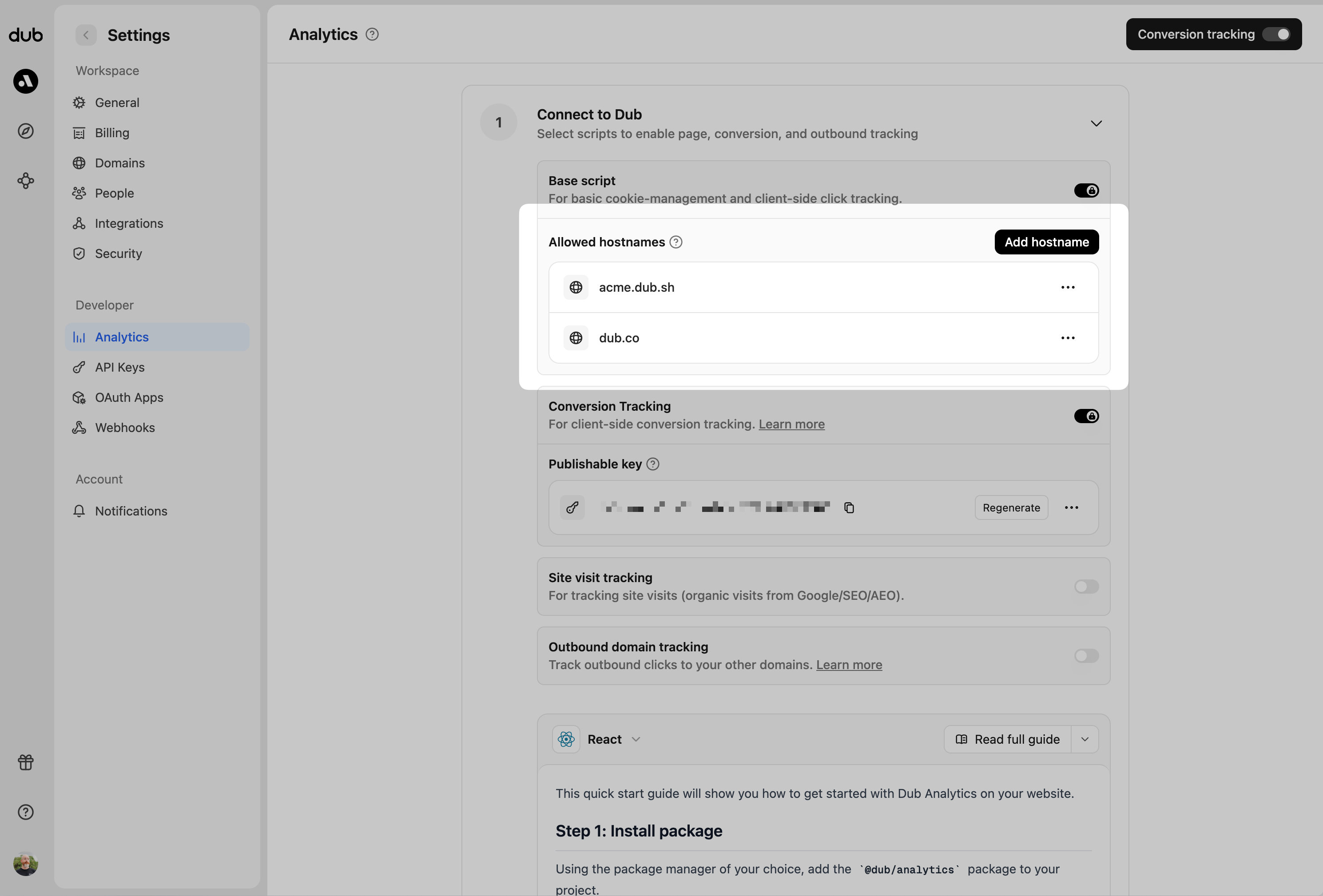
Open analytics settings
Generate your publishable key, allowlist domains, and configure conversion tracking in your Dub dashboard
Alternative: Use a native integration
Instead of the manual server-side SDK setup in Step 2, you can use one of our native integrations to track conversions automatically:Stripe
Automatically track purchases, subscriptions, and refunds
Shopify
Native app for e-commerce conversion tracking
Step 2: Install the Dub server-side SDK + track conversion events
The recommended way to track conversions on Dub is using server-side tracking, which is more reliable than client-side tracking. Depending on which framework you’re using, you can use our native SDKs:TypeScript
TypeScript library for the Dub API
Go
Go library for the Dub API
Python
Python library for the Dub API
Ruby
Ruby library for the Dub API
PHP
PHP library for the Dub API
Tracking lead events
The first event you’ll want to track is alead event. This happens when a user performs an action that indicates interest in your product or service. This could be anything from:
- Signing up for an account
- Adding a product to cart
- Joining a mailing list

Google Tag Manager
No-code tracking via GTM tags
Segment
Route leads through your Segment pipeline
HubSpot
Sync leads directly to HubSpot contacts
Sign Up, which happens when a user signs up for an account. Depending on which authentication framework you’re using, here are a few examples of how to send Sign Up lead events:
The lead event will serve as the source of truth for the customer’s identity and which link they came from. This means that all subsequent actions performed by the customer (e.g. upgrading their plan, purchasing a product) will automatically be attributed to the original link.
To learn more about tracking lead events with Dub, refer to the following resources:
Tracking lead events
Read the full guide on tracking lead events with Dub
POST /track/lead endpoint
View the full list of attributes you can pass when sending a lead event
Tracking sale events
The second event you’ll want to send is asale event. This happens when a user purchases your product or service. This could be anything from:
- Subscribing to a paid plan
- Usage expansion (upgrading from one plan to another)
- Purchasing a product

POST /track/sale API endpoint.
To learn more about tracking sale events with Dub, refer to the following resources:
Tracking sale events
Read the full guide on tracking sale events with Dub
POST /track/sale endpoint
View the full list of attributes you can pass when sending a sale event
Step 3: Set up your partner program
Once you have conversion tracking up and running, you can follow these steps to set up your partner program:Create your partner program
Launch the program onboarding wizard to set up your affiliate or referral program
- Go through the program onboarding flow to create your program.
- If you’re migrating from another platform, you can also import your partners and historical conversions (e.g. from Rewardful).
- Connect your bank account for partner payouts.
- Invite your partners to join your program + set up a branded program landing page for future partners.
- Create custom reward rules and dual-sided incentives to incentivize partners to share your link with others.
- Set up a whitelabeled referral dashboard that lives directly inside your app so your users can automatically enroll in your partner program without leaving your app.

Verify your setup
Before going live, confirm you’ve completed each step:| Step | Verification |
|---|---|
| 1. Script installed | Check that @dub/analytics loads on your site (no console errors) |
| 2. Domain allowlisted | Your domain is in Allowed Hostnames |
| 3. Cookie working | Visit your site via a Dub link and check for dub_id cookie |
| 4. Conversions tracking | Test a signup/purchase and verify it appears in your Analytics dashboard |
| 5. Program created | Partner program exists in your dashboard |
| 6. Payouts ready | Bank account connected in payout settings |